


Google Cloud Data Agent Kit đã chính thức phát hành diện rộng. Data Agent Kit…
Automate workflows with custom starters and steps, third-party integrations, and webhooks in Workspace Studio
To expand the capabilities of Workspace Studio and help teams build powerful, custom automations, we are introducing four new features for flows in Workspace Studio: custom starters, custom steps, third-party (3P) integrations, and webhooks. These new capabilities empower users to seamlessly connect custom Google Apps Script functions, integrate third-party services, and trigger external webhooks directly within flows in Workspace Studio.
All of these features are backed by granular enterprise security controls that allow admins to safely enable and adopt agentic capabilities across their organizations.
- Custom starters: Build and publish custom, real-time triggers to run flows based on events in other applications.
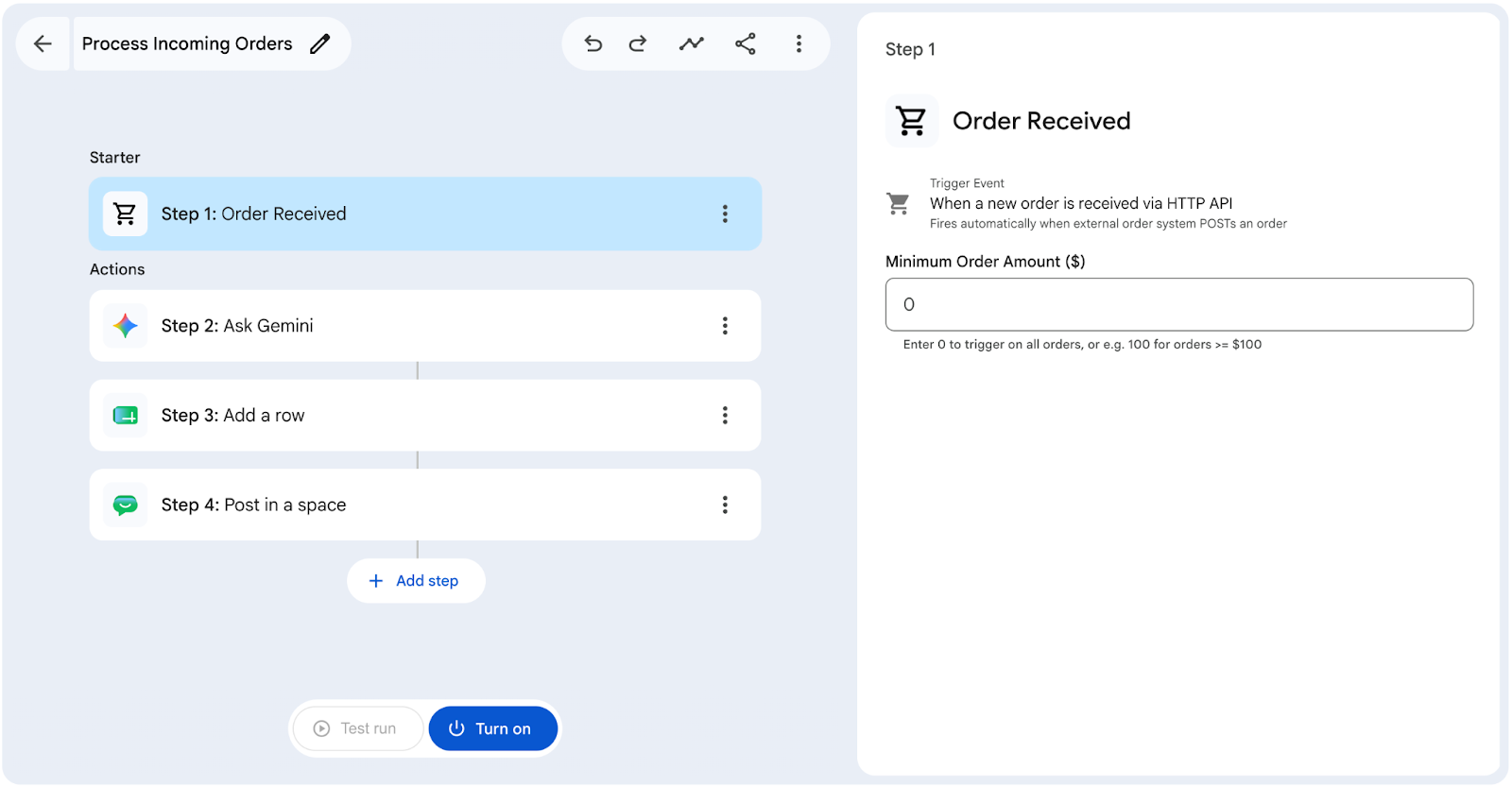
- Custom steps: Build and run custom logic (e.g. using Apps Script) and tailor flows to advanced business needs.
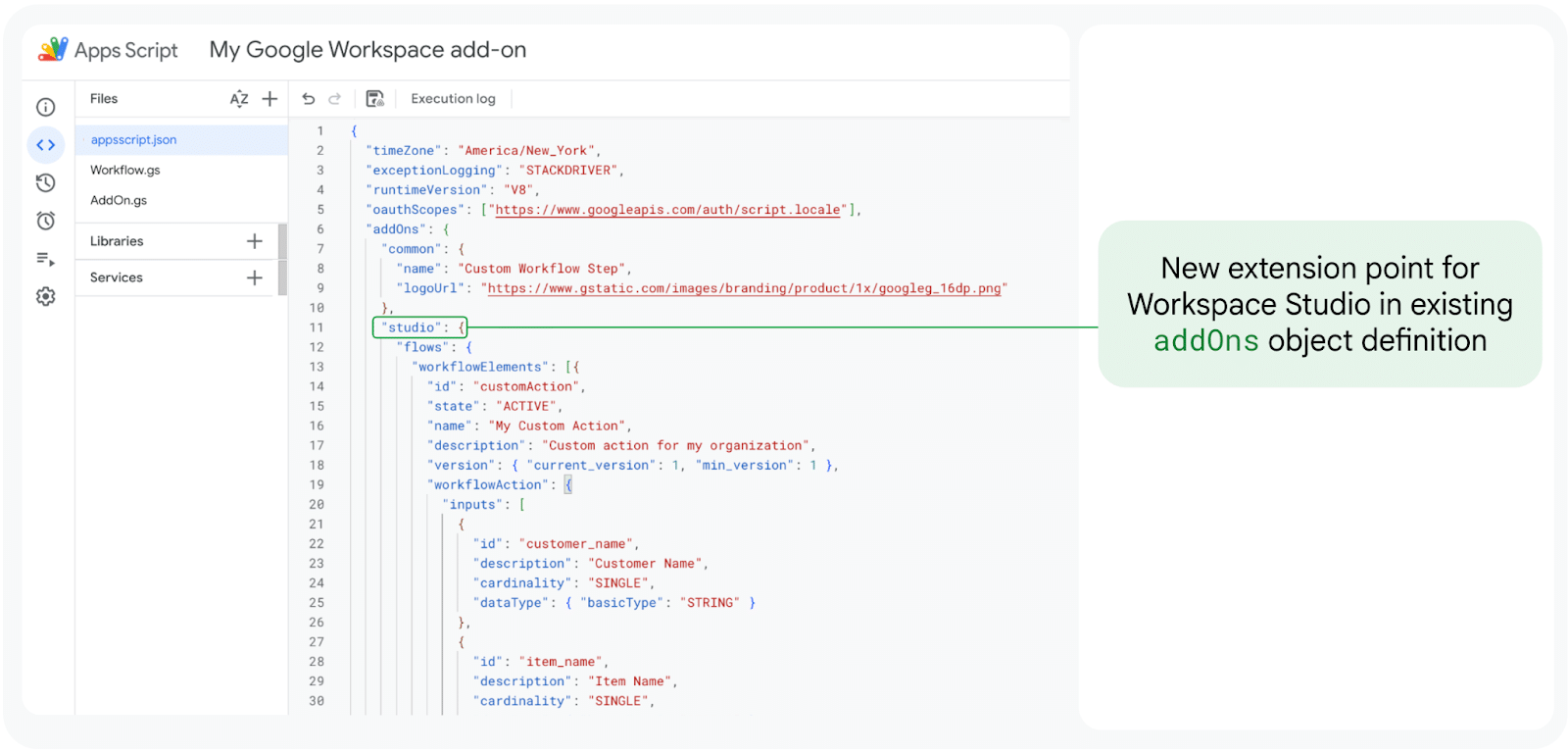
- Third-party integrations (Beta): Connect third-party applications and services to pass data effortlessly between Workspace and external tools to automate your business flows. The following integrations are available:
- Asana
- Confluence
- Hubspot
- Jira
- Mailchimp
- Quickbooks
- Salesforce
- Slack
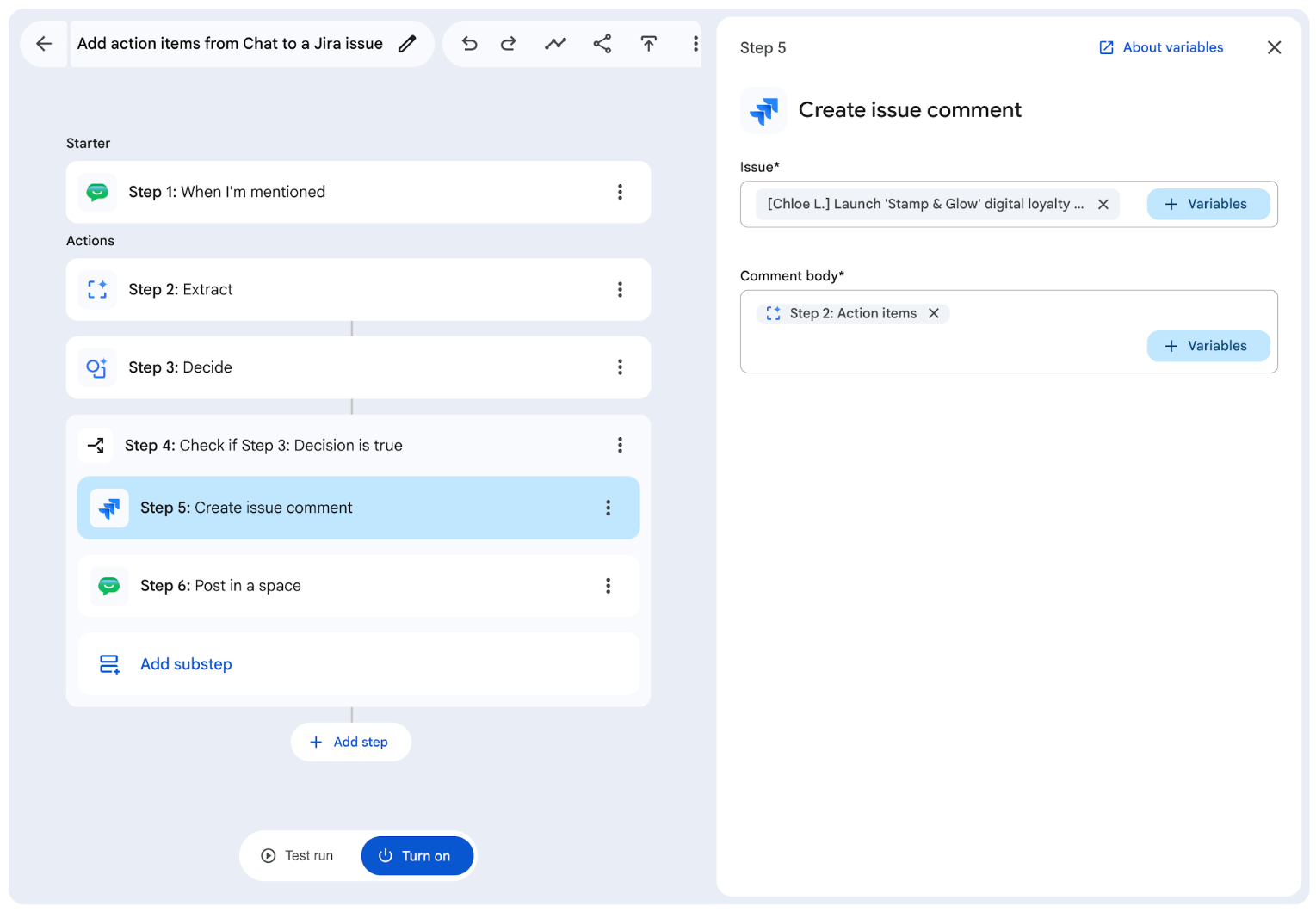
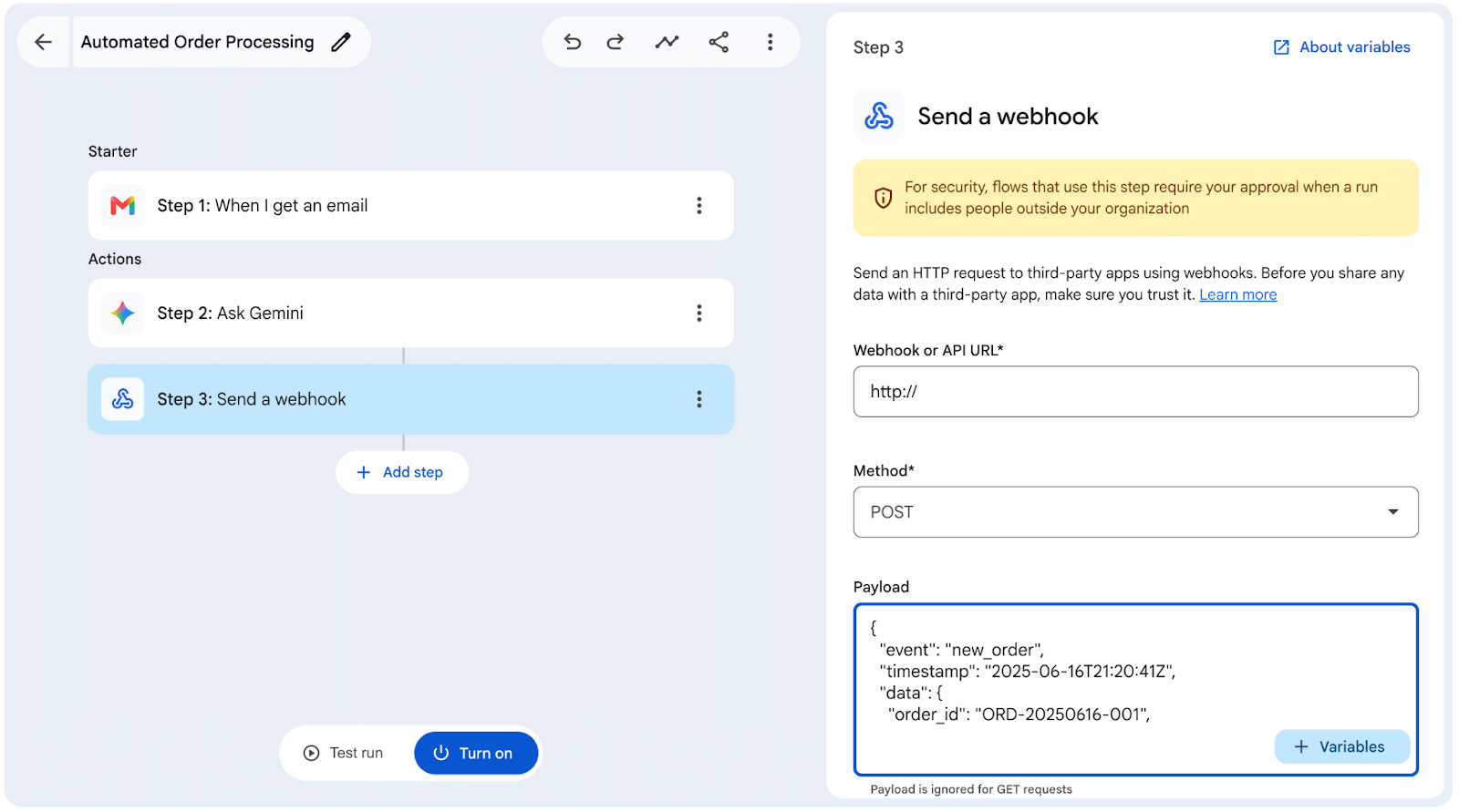
- Webhooks: Send HTTP requests to external endpoints and trigger actions in them. On supported editions, admins can set an URL allowlist for webhook access.
Getting started
- Admins:
- These features are OFF by default. Admins can enable them in the Workspace Admin Console under Apps > Google Workspace > Workspace Studio:
- Custom steps settings
- Integration settings
- Webhook settings
- Admins can change the human approval requirements in the Workspace Admin Console under Apps > Google Workspace > Workspace Studio > Approvals. Custom steps and Integration have their own approval settings, while Webhooks respect the approval settings for Sensitive Steps.
- Visit the Admin Help Center to learn more about setting up Workspace Studio, allowing or blocking custom starters and steps, allowing or blocking integration steps, and allowing or blocking send a webhook.
- These features are OFF by default. Admins can enable them in the Workspace Admin Console under Apps > Google Workspace > Workspace Studio:
- End users: Try the new features in Google Workspace Studio. Learn more by reviewing the Help Center articles for Custom Starters and Steps, Third-party Integrations, and Webhooks
Rollout pace
Admin console settings
- Rapid and Scheduled Release domains: Full rollout (1-3 days for feature visibility) starting on September 17, 2026
End-user visible features
- Rapid Release domains: Full rollout (1-3 days for feature visibility) starting on September 21, 2026
- Scheduled Release domains: Gradual rollout (up to 15 days for feature visibility) starting on September 30, 2026
Availability
- Business: Business Starter, Standard, and Plus
- Enterprise: Enterprise Standard and Plus
- Education: Education Fundamentals, Standard, and Plus
- Education Add-ons: Google AI Pro for Education; Teaching and Learning
- Other Add-ons: AI Expanded Access
*Webhook URL allowlist functionality is available for Business Plus; Enterprise Standard and Enterprise Plus; Education Standard and Education Plus
Related Posts