

Trong tháng 10 vừa qua, Google đã có những bước tiến lớn trong việc cung…
Gain more creative control over Slide Decks and Video Overviews in Gemini Notebook
Gemini Notebook now gives you more creative control over Slide Decks and Video Overviews. Instead of jumping straight to a final output, Gemini Notebook can now walk you through a step-by-step creation flow so you can steer the content further and guide the visual style and format. Get started by asking for a presentation or video in chat or by tapping on "Slide Deck" or "Video" in the Studio panel.
- Guided customization: In chat, Gemini Notebook suggests relevant focus topics, formats, and visual styles based on your sources. If you already know what you want, you can share specific instructions in your prompt and Gemini Notebook will pre-fill your selections without asking you to repeat yourself.
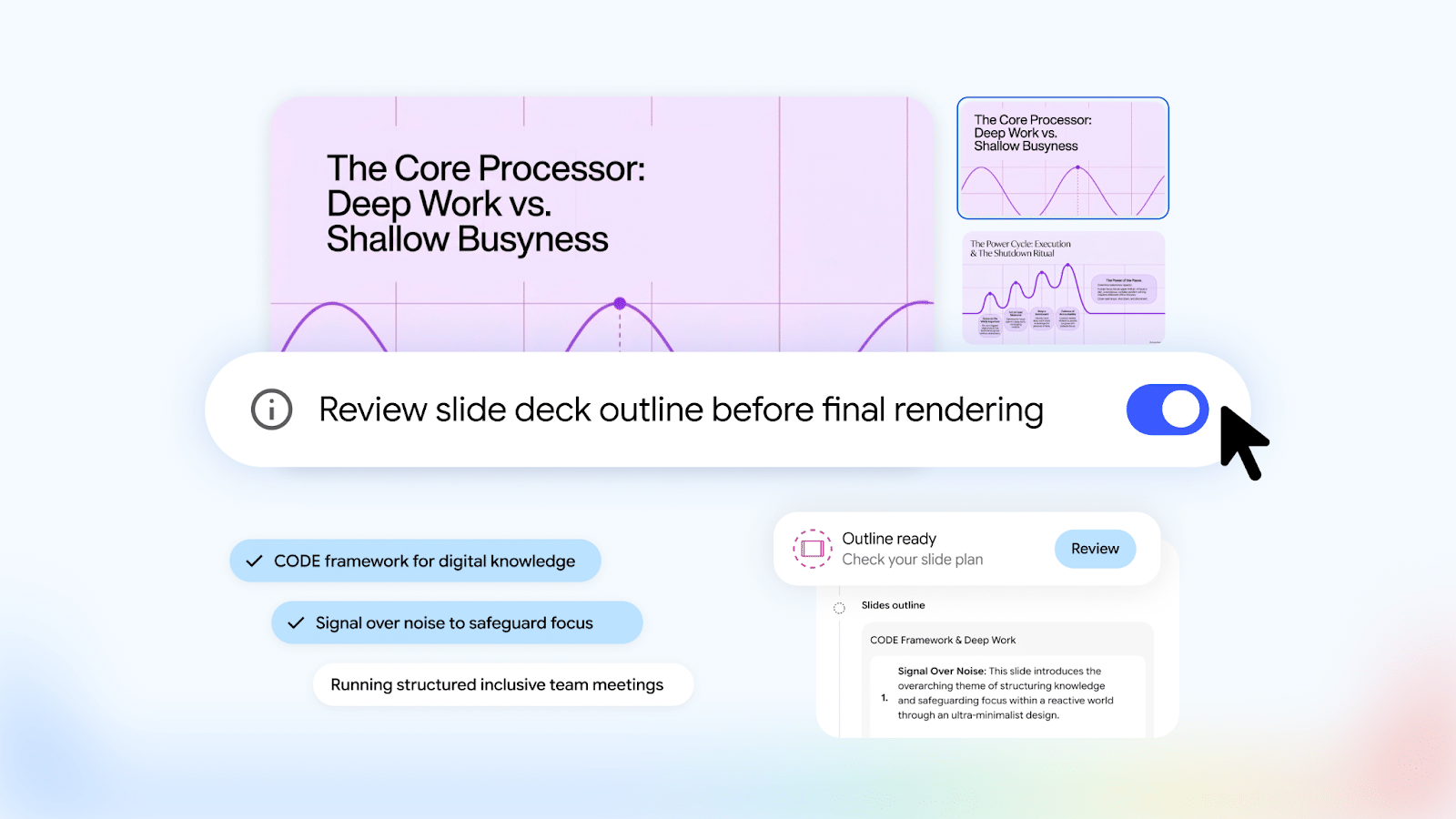
- Outline and producer notes review: If you turn on the Review toggle, you can preview the slide deck outline or video producer notes in the Studio panel and give written feedback before generating the final output.
- Quick first pass: If you prefer a quick output, you can still have Gemini Notebook generate a Slide Deck or Video Overview right away without the extra review step.
Getting started
- Admin: There is no admin control for this feature.
- End users: End users can turn on “Review outline” or “Review producer notes” to use this feature.
Rollout pace
- Rapid Release and Scheduled Release domains: Gradual rollout (up to 15 days for feature visibility) started on October 16, 2026
Available now
- Available to all Google Workspace customers, Workspace Individual subscribers, and users with personal Google accounts
Related Posts