


Google vừa chính thức mở rộng mô hình định giá cho Gemini Enterprise với phiên…
Introducing data import for Microsoft OneDrive: An easier, faster, and higher-fidelity migration to Google Workspace
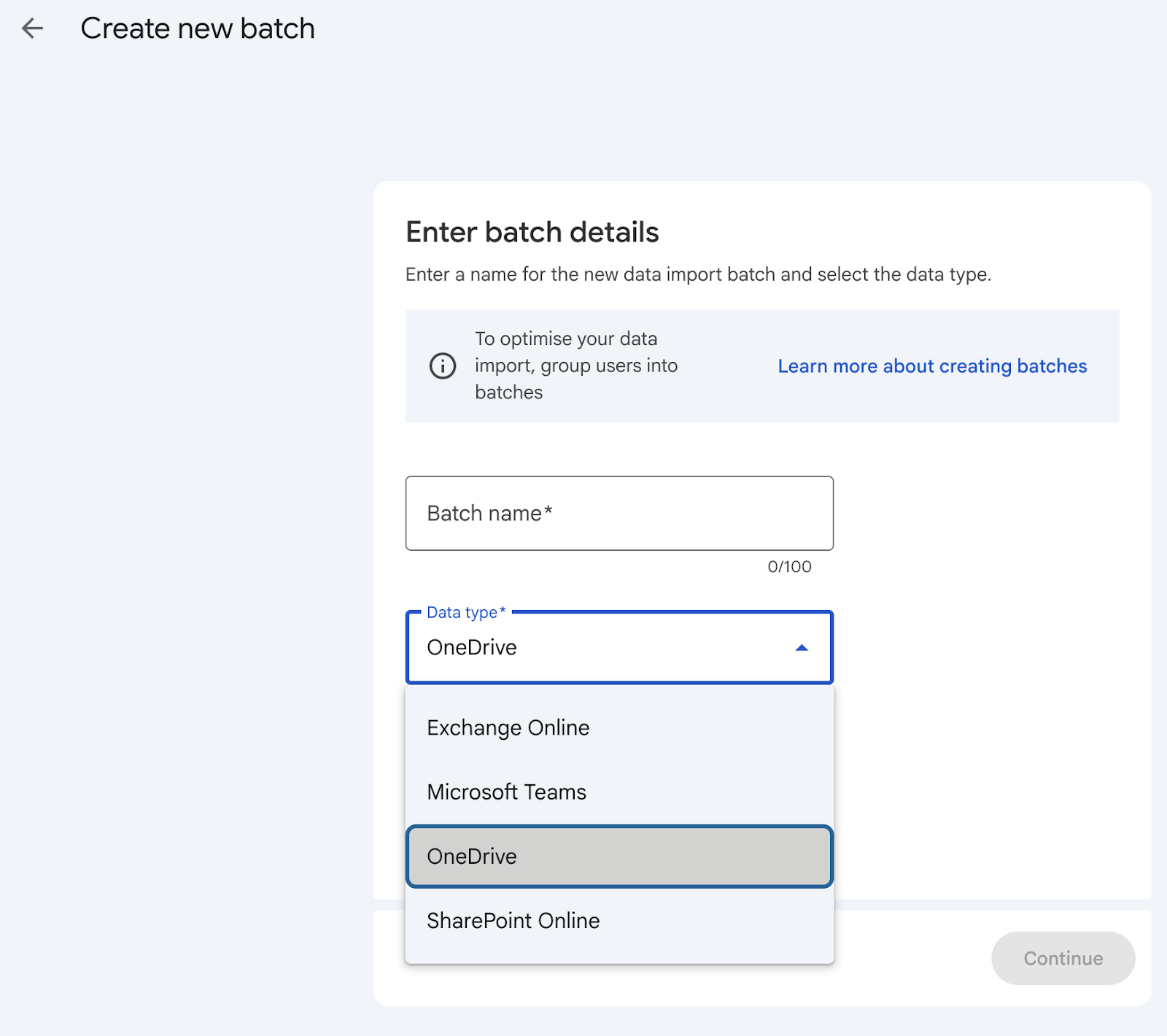
Migrating entire file repositories and complex permission systems between cloud platforms has always been a major challenge for IT teams, carrying the risk of business operational disruption. Recognizing this hurdle, Google has officially launched the Google Workspace data import feature (advanced mode), enabling fully automated, rapid, and completely free large-scale data migration from Microsoft OneDrive to Google Workspace.
Boost Enterprise Data Movement Performance
Previously, migrating data from Microsoft 365 to Google Workspace often required costly intermediary solutions or complex manual processes. This new update represents a breakthrough, enabling IT teams to execute large-scale data migration campaigns seamlessly through optimized mechanisms:
- Parallel processing of multiple data batches: Import multiple data batches simultaneously, significantly reducing the total system migration time.
- Intelligent Rate-limiting Adaptation: The system automatically adjusts transmission speeds to align with the enterprise's Microsoft licensing plan, maximizing throughput without exceeding the source system's quotas.
3 Core Advantages of the Advanced Data Import Feature
| Criteria | Benefits for the business |
|---|---|
| Easy to use | A 100% cloud-native solution, highly scalable and directly integrated into the administrator dashboard (Google Workspace customers Admin Console). |
| High Speed & High Precision | Accelerate data transfer speeds using an improved algorithm combined with parallel processing, while ensuring data integrity and file permissions. |
| 100% cost optimization | It eliminates the need for intermediate server infrastructure and completely removes the cost of purchasing third-party conversion tool licenses. |
Enhance proactivity with the Google Migration Planner tool.
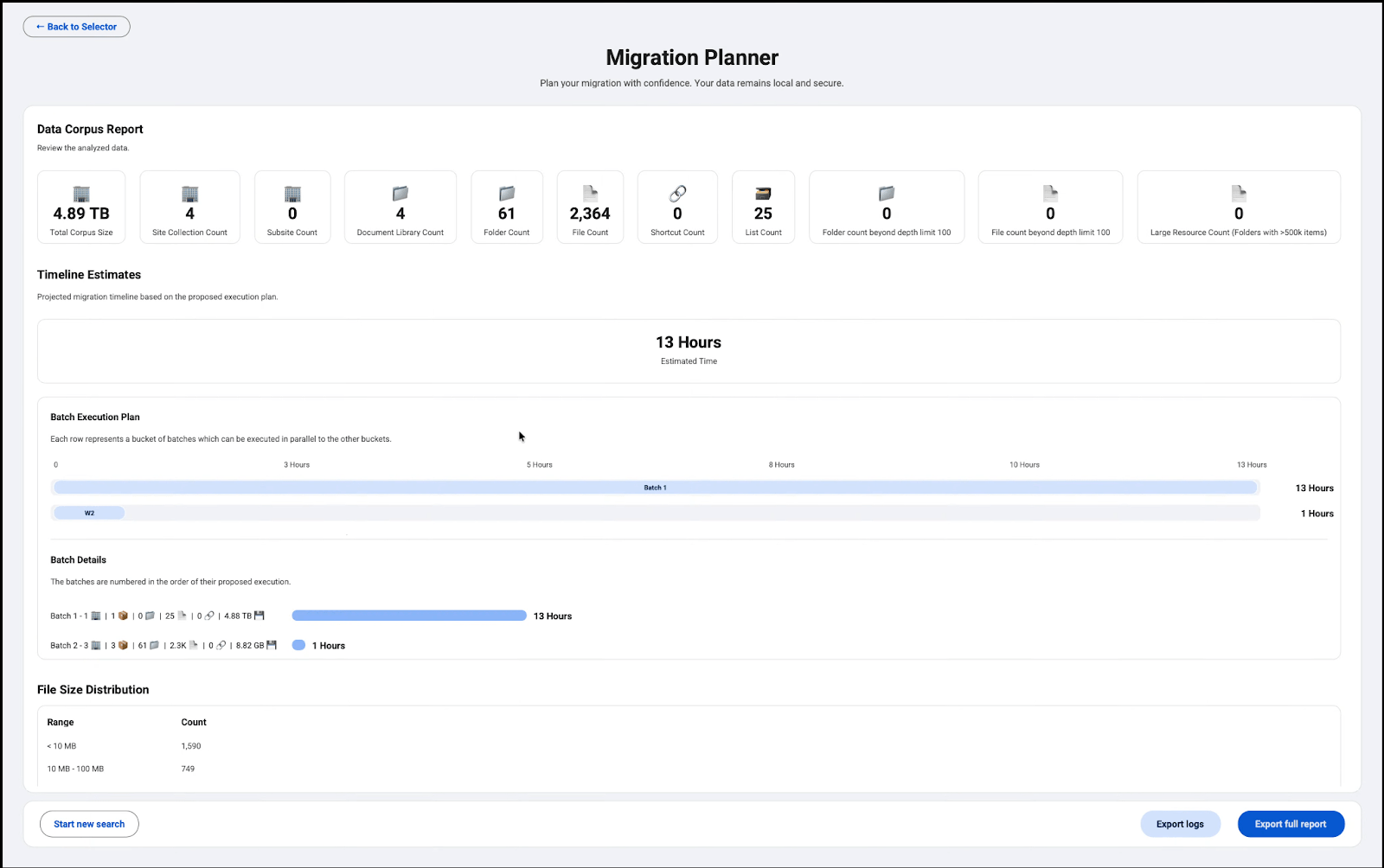
To minimize the risk of disruption and effectively manage change, Google provides the Google Migration Planner tool.
This tool helps administrators:
- Detailed examination of the source dataset: Analyze the folder structure, size, and number of files currently on OneDrive.
- Estimated implementation timeframe: Provide accurate completion timeline estimates based on real-world data, enabling businesses to proactively develop a seamless migration roadmap from Microsoft 365 to Google Workspace.
Getting Started Guide
1. Admin
Required permissions: You need Super Admin privileges for the Google Workspace organization.
- How to do it: Access the direct data import feature within the Google Workspace Admin console.
- Guide: View the step-by-step process in the Google Help Center article on transferring data from a OneDrive account to Google Workspace.
- Support tools: Download and deploy the migration planning tool to conduct a pre-migration assessment.
2. For End-users
The migration process takes place entirely at the management system level, causing no work disruption and requiring no action from the user.
Implementation timeline & Applicable versions
- Launch timing: Fully available for both Rapid Release and Scheduled Release domains.
- Availability by service plan:
- Business: Business Starter, Business Standard, Business Plus.
- Enterprise: Enterprise Standard, Enterprise Plus.
- Education: Education Fundamentals, Education Standard, Education Plus.
- Other editions: Frontline Starter/Standard/Plus; Essentials Starter, Enterprise Essentials, Enterprise Essentials Plus; Nonprofit.
Optimizing the digital transformation roadmap with Gimasys
The advanced data import feature from Microsoft OneDrive represents a significant step forward in simplifying infrastructure, reducing costs, and accelerating digital transformation for businesses looking to migrate to the Google Workspace ecosystem.
However, for enterprises managing massive datasets—amounting to terabytes—and complex permission systems, self-implementation can still encounter technical hurdles or challenges related to administrative processes for personnel changes.
As a leading Google Cloud development partner in Vietnam, Gimasys is committed to accompanying businesses throughout this transformation journey. Gimasys’s team of experienced IT experts will help you:
- Survey & Detailed Planning: Utilize specialized tools to comprehensively assess the source data structure and minimize the risk of data loss.
- Standardization implementation: Managing the secure data import process on behalf of the business, optimizing bandwidth, and resolving any errors that arise.
- Training & Change Management: Organize sessions to guide staff in transitioning their usage habits from Microsoft to Google Workspace, enabling the business to maximize the new tools' productivity from day one.
Are you ready to boost your business's productivity?
Contact Gimasys today to receive expert advice and develop a secure, cost-effective data migration roadmap from Microsoft 365 to Google Workspace!
Related Posts