


Google Cloud Data Agent Kit đã chính thức phát hành diện rộng. Data Agent Kit…
Manually reorder and custom sort pivot tables in Google Sheets
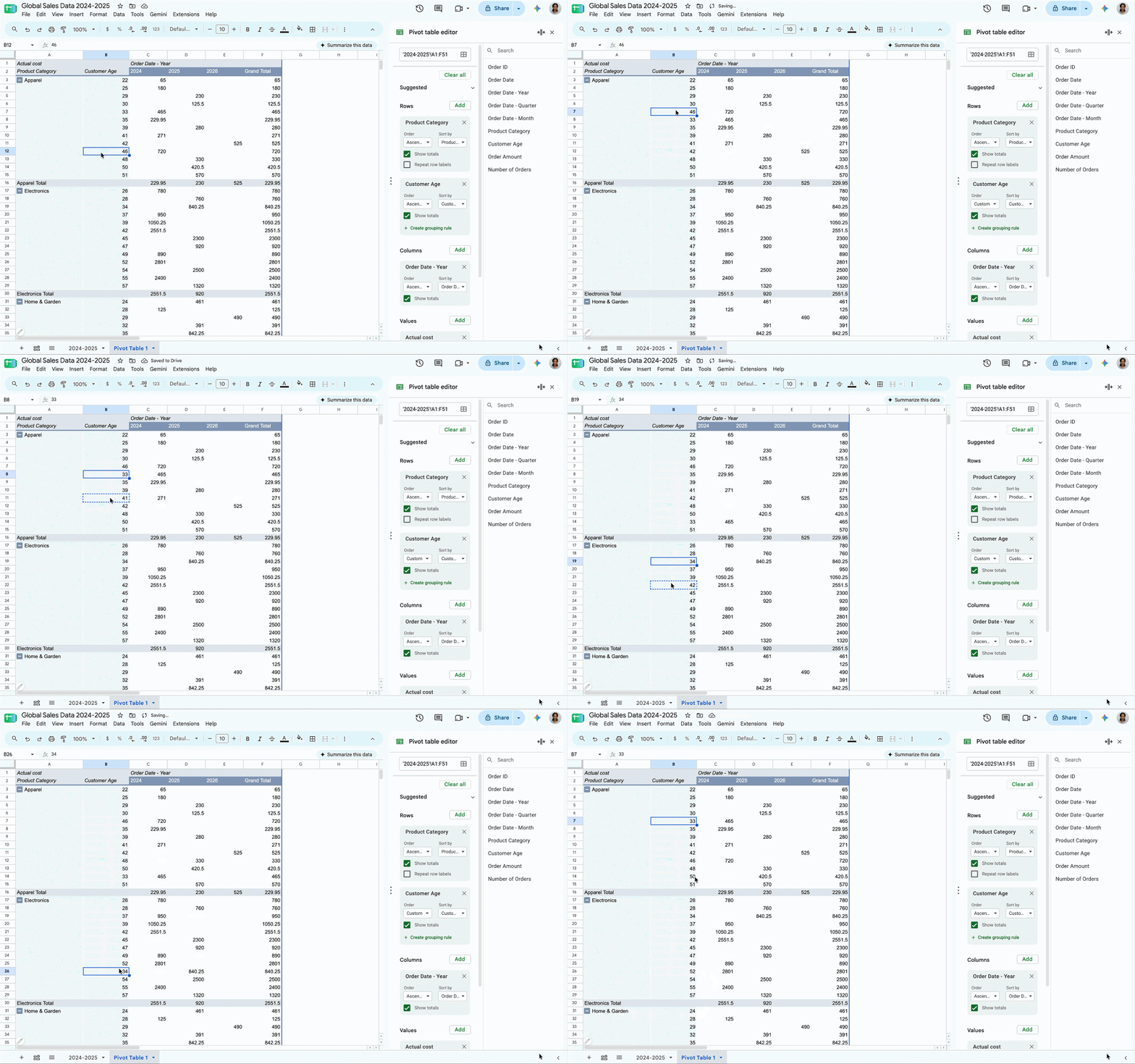
Google Sheets now supports custom sorting and manual reordering in pivot tables. Users can now drag and drop rows and columns on a pivot table to match specific presentation needs and custom business hierarchies, rather than being restricted to standard ascending or descending alphanumeric order. This launch includes the following capabilities:
- On-grid drag-and-drop: Directly grab and move individual row or column headers with clear drop-zone indicators
- Multi-item reordering: Select and reposition multiple rows or columns simultaneously
- Hierarchical preservation: Automatically move nested child items alongside parent fields, maintaining structure across expand and collapse actions
- Persistent sort states: Preserve custom arrangements across browser sessions, data refreshes, filtering, and layout adjustments
This update also delivers significant improvements for Microsoft Excel file interoperability. Previously, when importing Microsoft Excel workbooks containing pivot tables with manual or custom sort orders, Google Sheets defaulted back to ascending or descending order. Now, imported spreadsheets retain their pivot tables with the exact custom sort order preserved. Furthermore, exporting workbooks back to Microsoft Excel retains these sorted orders for seamless roundtrip compatibility.
Getting started
- Admins: There is no admin control for this feature.
- End users: Visit the Help Center to learn more about customizing pivot tables in Google Sheets or creating and using pivot tables in Google Sheets.
Rollout pace
- Rapid Release domains: Gradual rollout (up to 15 days for feature visibility) starting on August 25, 2026
- Scheduled Release domains: Full rollout (1–3 days for feature visibility) starting on October 19
Availability
- Available to all Google Workspace customers, as well as G Suite Basic and Business customers and users with personal Google Accounts.
Related Posts