



Gemini 4 Argon mang lại hiệu năng cấp độ biên giới (frontier performance) trong các…
Paste and convert unformatted text into Google Sheets tables with Gemini
We're excited to introduce a new AI-powered feature in Google Sheets that allows you to transform unstructured text into organized tables.
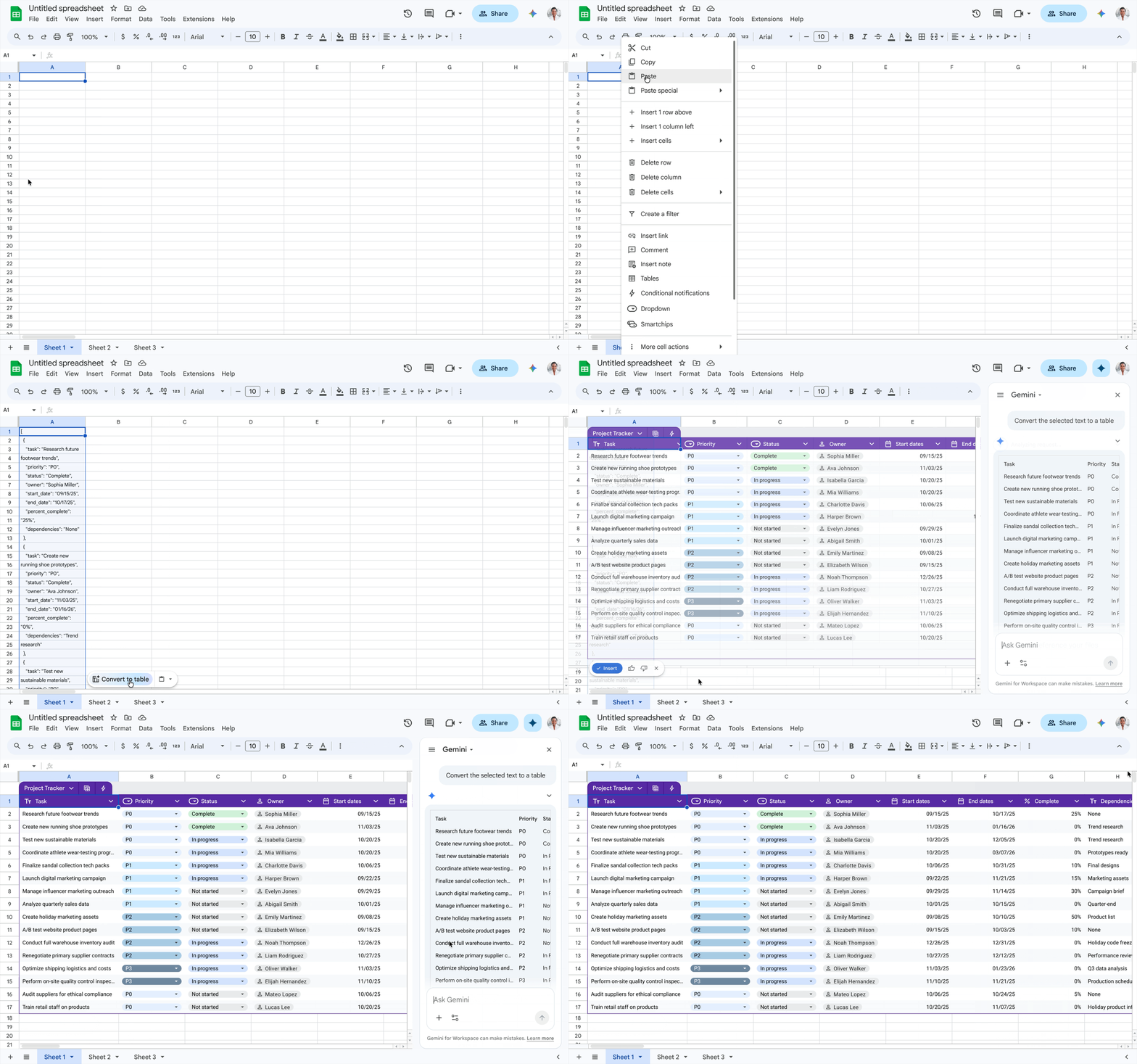
Manually formatting and organizing unformatted data in spreadsheets can be a tedious, time-consuming task. Now, when you paste content like bulleted lists, freeform text, or JSON we surface a “Convert to table” button which leverages Gemini to turn your pasted content into a table with just a single click. This helps to streamline data entry so you can move to analysis faster.
Getting started
- Admins: This feature is an additional entry point to existing AI table generation functionality. This feature will be hidden if the Smart features for Google Workspace setting is disabled.
- End users: You must have Workspace smart features enabled to use this feature. This feature will be ON by default for eligible users. To use it, simply paste text into a Sheet; if the content is suitable, a "Convert to Table" prompt will appear. Visit the Help Center to learn more about collaborating with Gemini in Google Sheets.
Rollout pace
- Rapid Release domains: Gradual rollout (up to 15 days for feature visibility) starting on April 22, 2026
- Scheduled Release domains: Gradual rollout (up to 15 days for feature visibility) starting on May 6, 2026
Availability
- Business: Business Standard and Plus
- Enterprise: Enterprise Standard and Plus
- Education: Google AI Pro for Education
- Consumer: Google AI Pro and Ultra
Related Posts