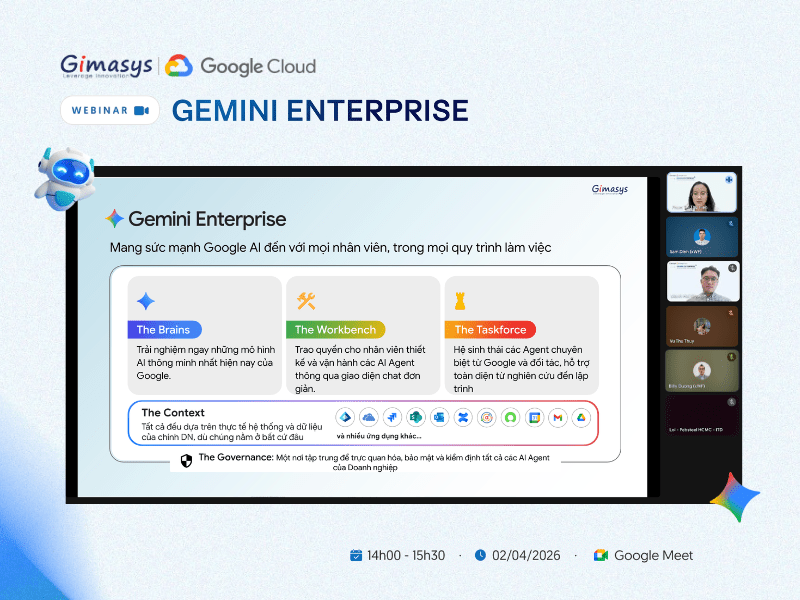



Ngày 02/04 vừa qua, hội thảo trực tuyến do Gimasys phối hợp cùng Google Cloud…
Schedule messages to be sent at a later time in Google Chat
What’s changing
Today we are launching a new feature to enable users to schedule messages in Google Chat to be sent at a later time or date. This highly requested feature is part of our commitment to enable more productive and seamless communication for our users.
By scheduling messages, Chat users can be respectful of colleagues time and avoid sending messages late at night or early in the morning when recipients may be in a different time zone or unavailable.
- When composing a message in a Chat conversation, by clicking the down arrow next to the compose bar, users can select a time to send the message up to 120 days in the future.
- If a user has a scheduled message in a conversation, a banner will appear above the compose box. Clicking this banner or the new Drafts shortcut in the left panel will open a dedicated area to manage all scheduled messages, where users can edit, reschedule, or cancel them.
- The Draft shortcut is only available when there are scheduled messages.
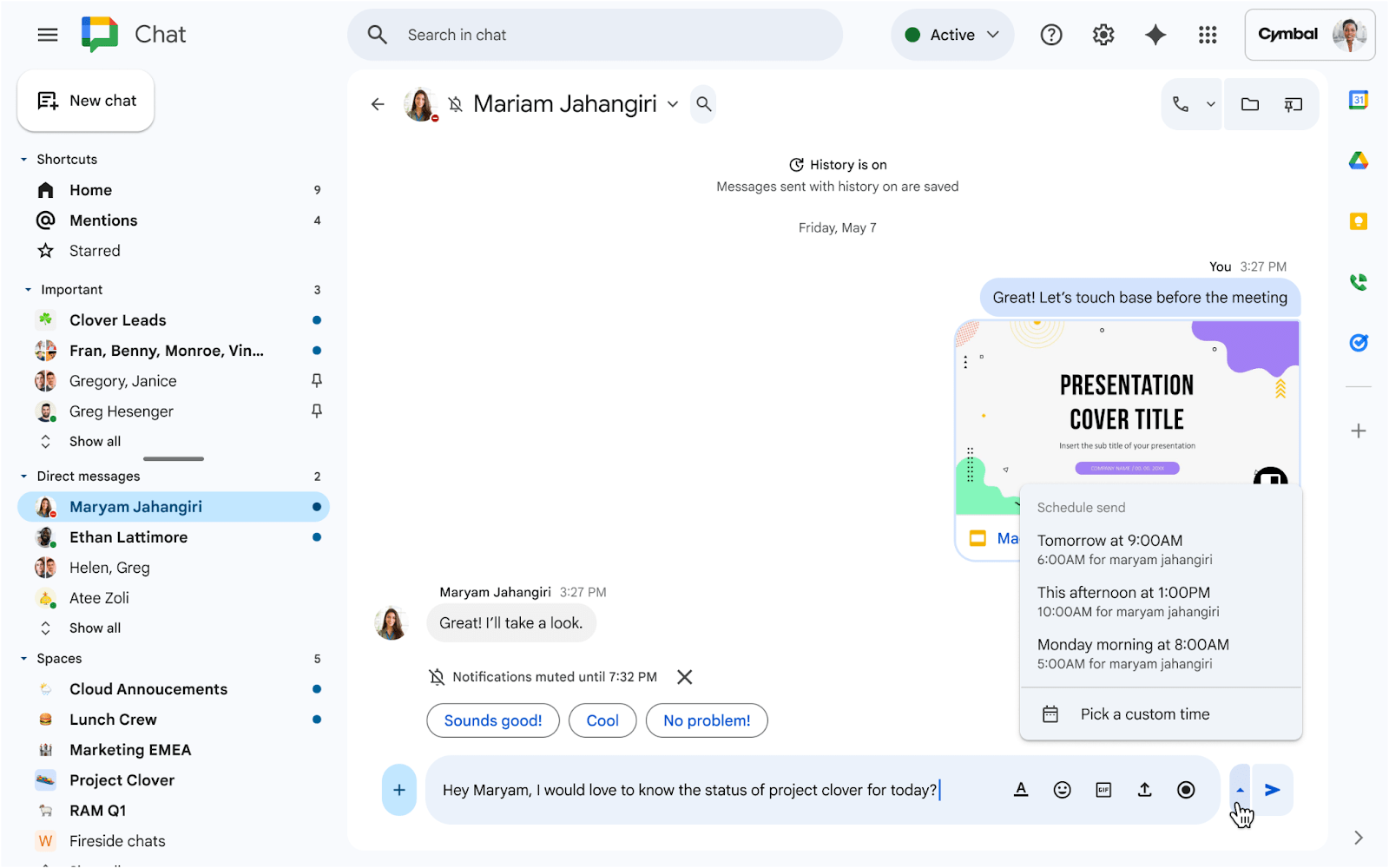 |
| Clicking on the down arrow next to the Sent button brings up the Schedule send menu |
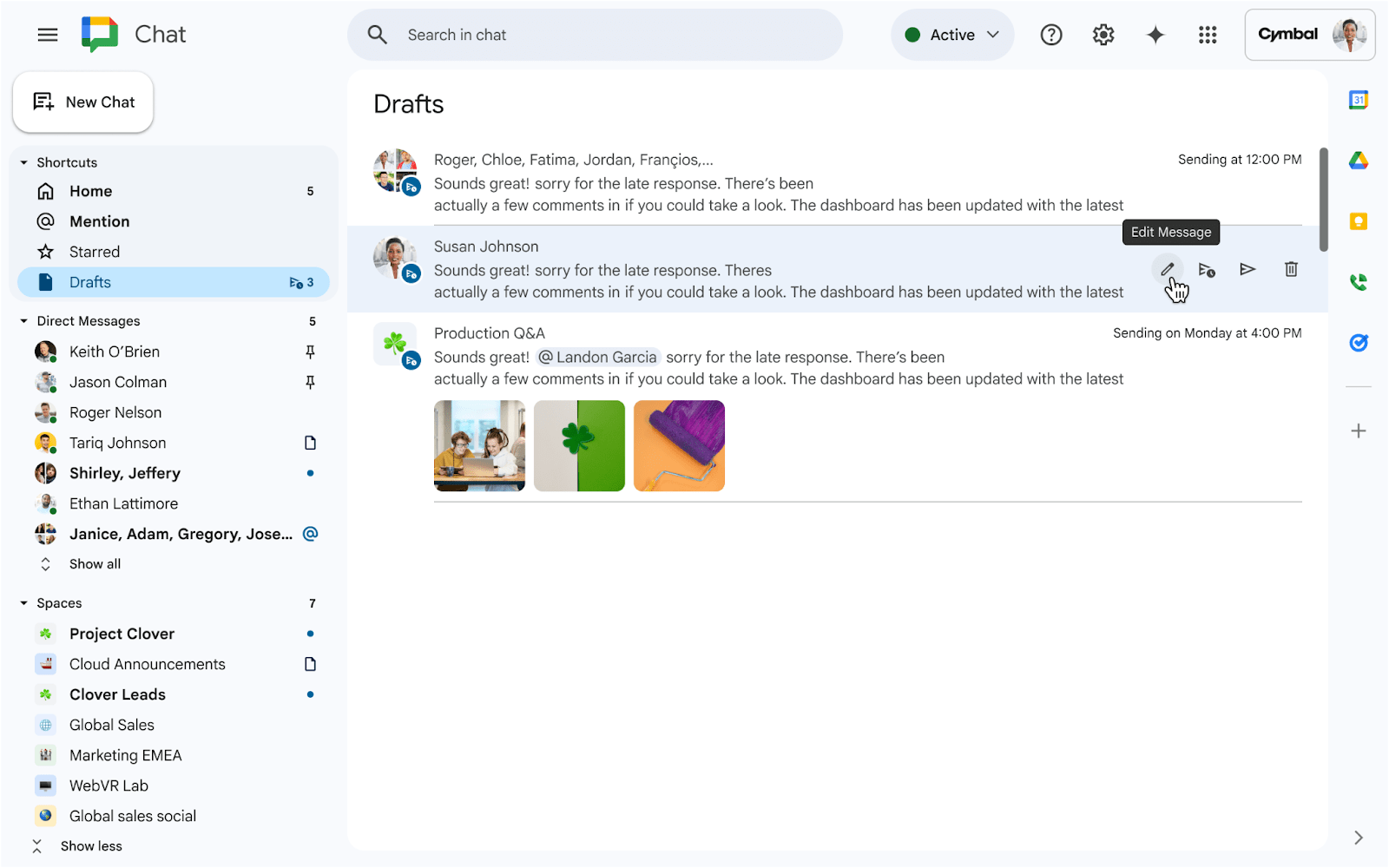 |
| New Drafts shortcut to edit, reschedule, send, and delete your scheduled messages |
Getting started
- Admins: There is no admin control for this feature.
- End users: There is no end user setting for this feature. Visit the Help Center to learn more about scheduling messages in Chat.
Rollout pace
- Rapid Release domains: Extended rollout (potentially longer than 15 days for feature visibility) December 11, 2025
- Scheduled Release domains: Gradual rollout (up to 15 days for feature visibility) starting on January 2, 2026
Availability
- Available to all Google Workspace customers, Workspace Individual subscribers, and users with personal Google accounts
Related Posts